Handwriting
 Repeater
A handwriting example they can watch again.
Handwriting Repeater turns the writing you model into a replayable example. Children can watch how a letter or word is formed, revisit the strokes and practise with a clear model in front of them.
Who is it for?
For primary teachers demonstrating letter formation and parents supporting the handwriting approach taught at school.
Getting started
How to use Handwriting Repeater
Choose the paper
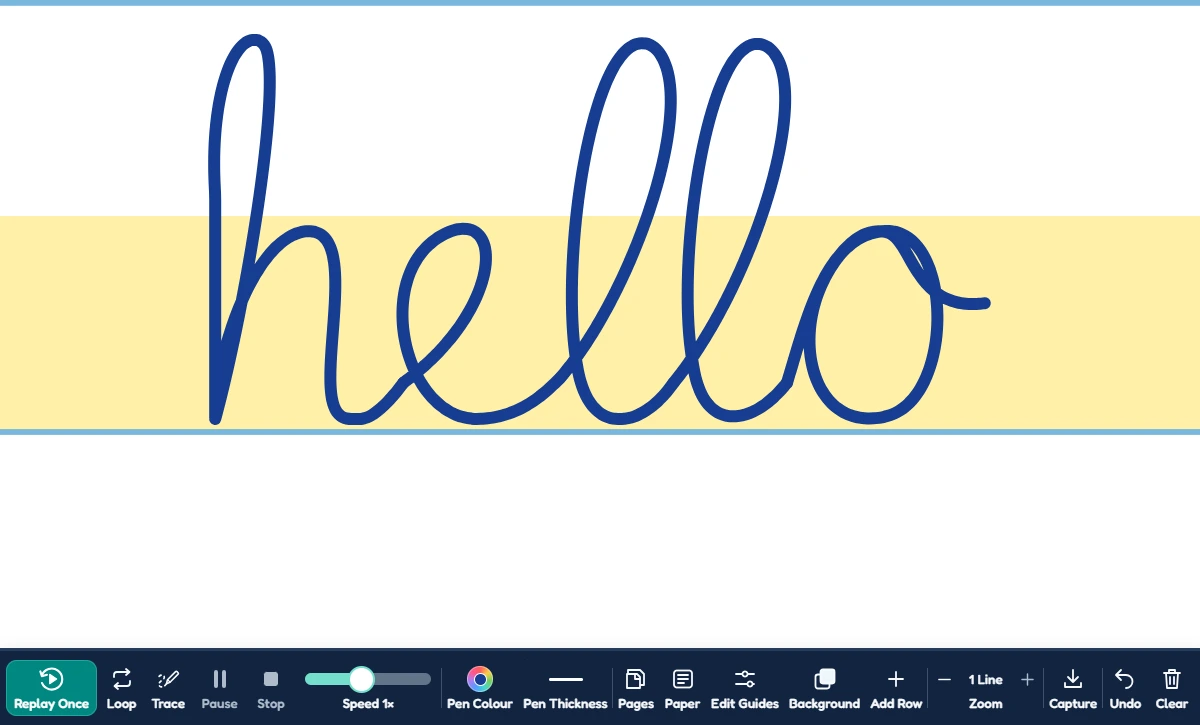
Select a paper style that suits the task. Highlighted paper makes the main letter body easy to see, with space above and below for tall and hanging strokes.
Write a clear example
Use a pen, finger or mouse to model a letter or word. Keep most letter bodies in the writing band and use the school’s usual letter formation.
Replay and practise
Replay the example, adjust the speed or loop it for another look. Use tracing when it helps the child follow the model.
Home & classroom
A few ways to use it
- For a new letter: model one formation, replay it and talk about the starting point and direction.
- For a word: compare short letter bodies with tall strokes and letters that hang below the line.
- In a small group: keep a model visible while children practise on paper, then replay the part they want to revisit.
Useful to know
Common questions
Does it provide a fixed handwriting scheme?
You create the example yourself, so you can model the letter style and joins taught in your child’s school.
Does it automatically mark handwriting?
It is a tool for modelling, replay and practice. A parent or teacher can discuss the writing with the child; it is not an automatic handwriting assessment.
Can I use highlighted paper?
Yes. The highlighted style gives the main letter body a clear band, while tall and hanging strokes can extend outside it.
Ready to try it?
Open Handwriting Repeater and explore it for yourself.