 Classroom wellbeing
Class Check-In
Start the day with a chance to be heard.
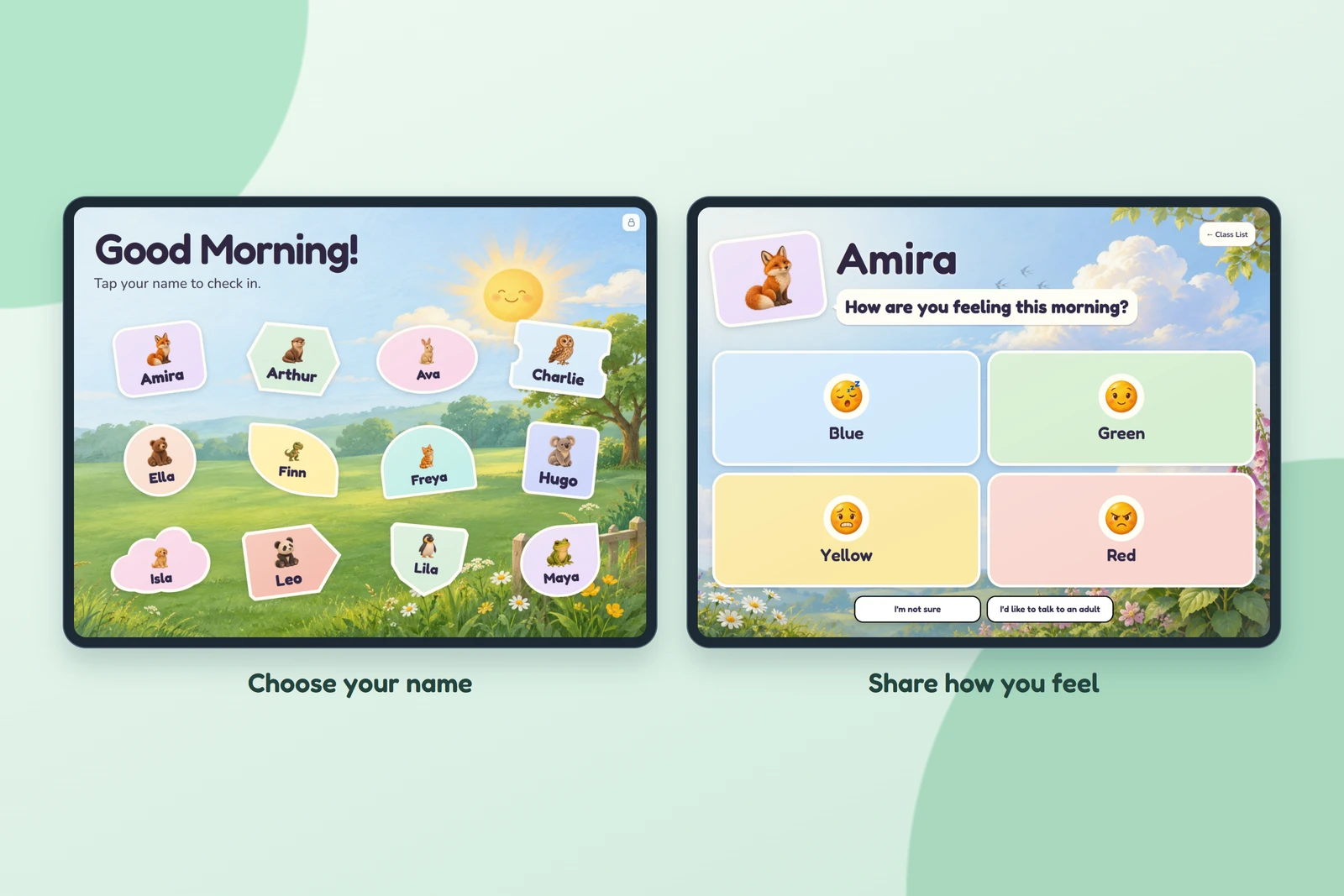
Class Check-In gives pupils a simple way to share how they feel at the start of the day. Children choose their own profile and a feelings option; teachers can use those responses to guide a supportive conversation.
Who is it for?
For primary classrooms establishing a calm morning routine and giving pupils a familiar way to ask for support.
Getting started
How to use Class Check-In
Set up the class
Use the staff setup to create pupil profiles and familiar badges. Protect staff access and keep the recovery information somewhere secure.
Let pupils check in
Children tap their name and choose the option that best describes how they feel. Explain the choices in language your class already uses.
Follow up personally
Review the check-ins and make time for pupils who may need a conversation. A response is a starting point for listening, rather than a conclusion about a child.
Home & classroom
A few ways to use it
- At arrival: offer a predictable check-in as children settle into the classroom.
- With younger pupils: explore the feelings choices together before using the routine independently.
- For staff: notice patterns and check in privately with a pupil when a response needs more context.
Useful to know
Common questions
Is this a mental health assessment?
No. It is a classroom communication tool. Use it to start conversations and follow your school’s usual pastoral and safeguarding procedures.
Where are class records stored?
Profiles and history are saved on the device used for the app. Follow the app’s backup guidance before moving devices or clearing browser data.
Where can staff find help?
The app has support information covering setup, staff access and backups. You can also email primarytoolkit@outlook.com without including pupil records or access codes.
Ready to try it?
Open Class Check-In and explore it for yourself.